
Sisu - Guidance and study comments
This functionality will be introduced in August 2026.
The student and the teacher can discuss the study plan through comments. Comments can be made either on the study plan as a general comment or in more targeted for individual courses or study modules. Commenting on the study plan provides a way for the student to receive support from the teacher, for example when including studies that deviate from the standard structure, such as an exchange period.
Comments related to guidance are visible only in the study plan to which they were originally added.
Commenting on the Study Plan
The study plan commenting feature can be found in the Structure of studies. In the upper-right corner of the study plan, there is a Guidance -button. Clicking this button opens the comment form.

In the comment form, under the Message type -heading, there is a drop-down menu where you can select either a General comment or a Targeted comment. A General comment relates to the study plan as a whole. A Targeted comment refers to a specific course or study module within the study plan.
Note: Sensitive personal data must not be included in comments.
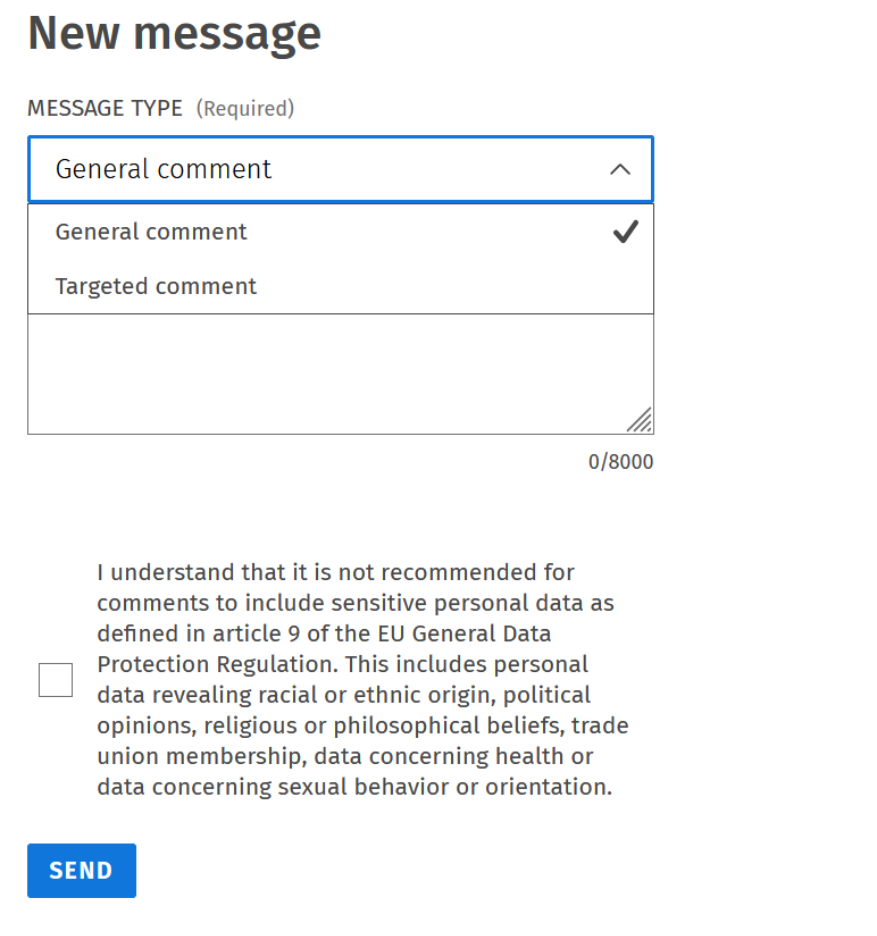
Now you can write down your comment/question. Then remember to tick the checkbox below the comment field confirming that you understand that no sensitive personal data is included in the message, and then click Send.