Sisu - Recognition of Prior Learning
Recognition of Prior Learning (RPL) means that previously acquired knowledge and skills can be recognised as part of your degree. Competence may have been gained, for example, through:
- studies completed at another higher education institution
- exchange studies
- work experience or practical training
In Sisu, students can apply for the recognition of prior learning in three ways: substitution, inclusion or personal completion.
- Substitution
A course can be substituted, for example, with a course completed at another higher education institution or with competences acquired through work experience. The course must be included in your study plan in order to apply for substitution. Substitution is only possible if the contents of the studies correspond to each other. A course can be approved as a substitution either fully or partially.
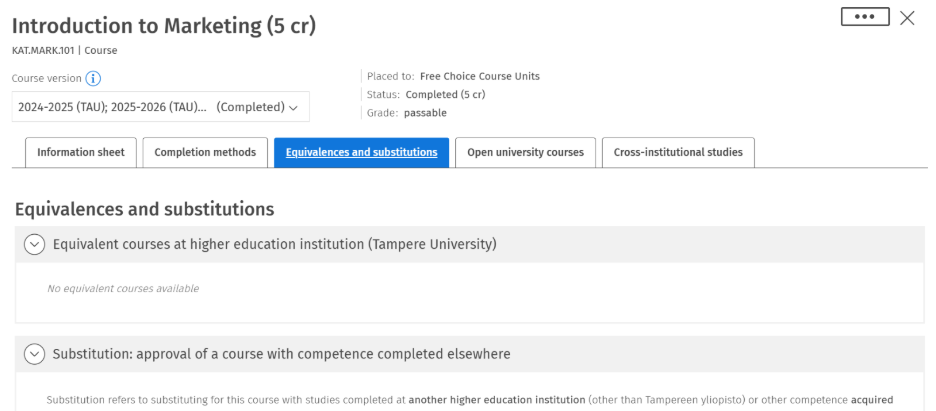
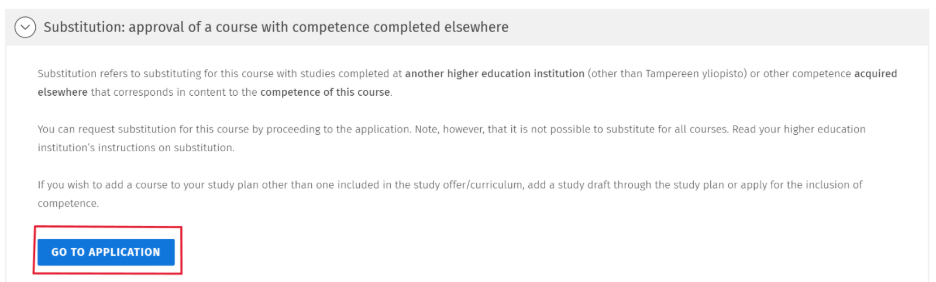
Open the course description for the course for which you want to apply for substitution. On the Equivalencies and substitutions -tab, scroll down to the Substitution -section, where you will find the Go to application -button.
On the Add substitution information -tab, under Add information on studies or other prior learning -section, select either Completed studies or Other prior learning.
If you are applying for substitution based on studies completed at a higher education institution, select Completed studies. If you are applying for substitution based on competence acquired, for example, through work experience, select Other prior learning.
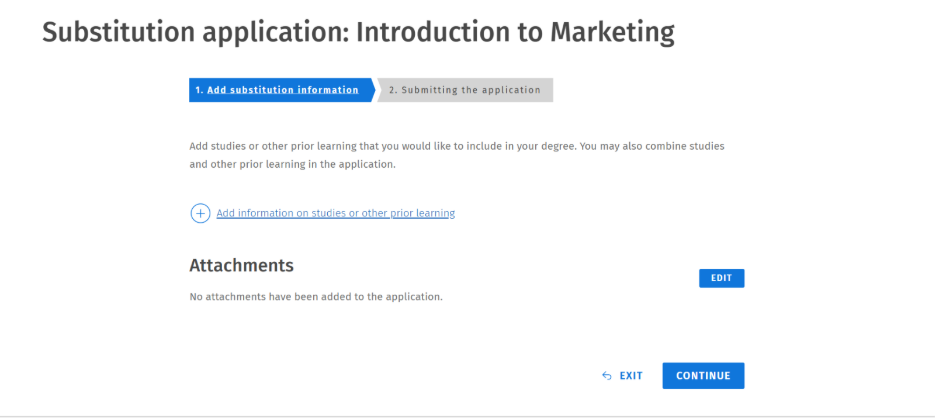
Enter the details of the course you have completed as accurately as possible in the fields that open next. In the Description field, include the learning outcomes and key content of the course. If you are applying for substitution based on multiple completed courses, you can add the details of another course by clicking the Add information on studies or other prior learning -button again.
If you are applying for substitution based on Other prior learning, include evidence of your competence in the application. Also attach the required documents and a description of how your competence corresponds to the learning outcomes of the course to be substituted.
Once you have filled in all the required fields, click the Continue -button in the lower right corner of the application form, and then you will be able to send it. You will be notified of the decision on the Sisu front page and in the messages section, and your application will also be visible on the My profile –page under Applications and decisions -page. After approval, the substituted course will be marked as completed in your study plan.
2. Inclusion
Study inclusion is used when previously completed studies are added to your degree as they are, without replacing a specific course in your curriculum. An inclusion application is always submitted through a study draft (see the instructions for creating a study draft).
There are three options for including prior learning:
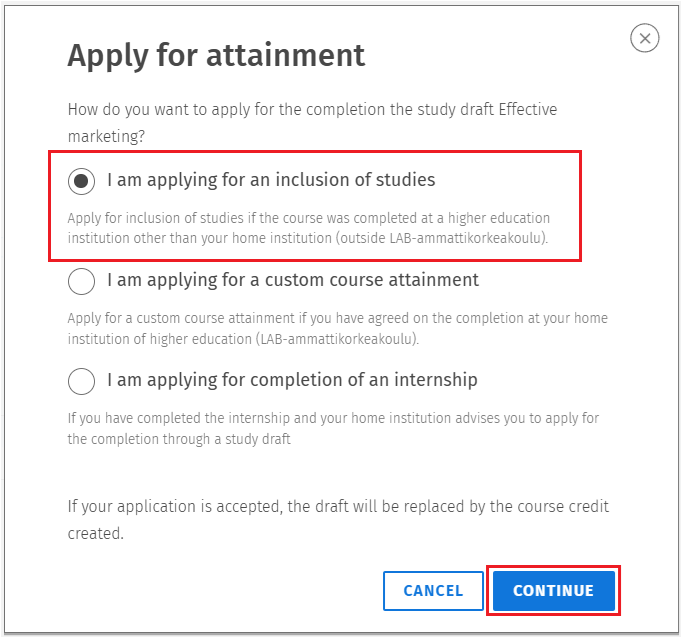
- Inclusion of studies: Select this option if the study attainment was completed somewhere other than LAB University of Applied Sciences.
- Custom course attainment: Select this option if the studies are completed through a non-standard course implementation and the completion has been separately agreed with the teacher or tutor teacher.
- Completion of an internship: Select this option if you have completed an internship.
Once you have completed the studies or gained the required competence, apply for inclusion. Find the relevant study draft in your study plan and click its name.
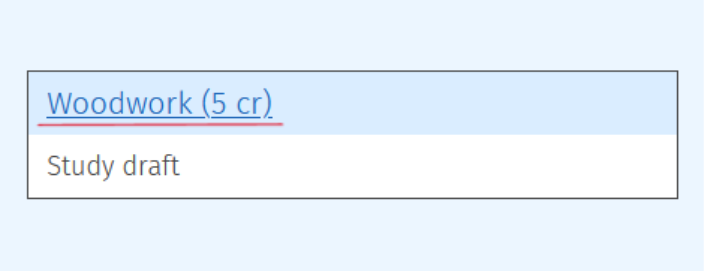
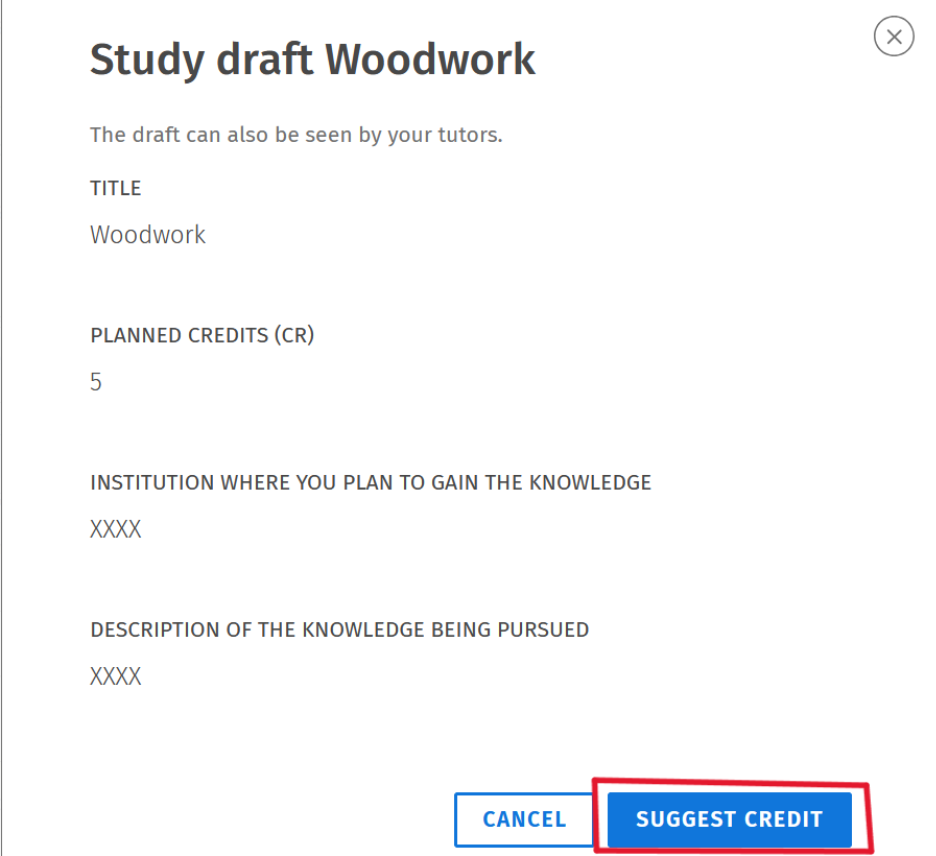
Next, a form will open where you can apply for completion. Click "Suggest credit" to continue.
You will be directed to a form where you can choose how you want to apply for credit for the course draft in question. This example shows how to apply for inclusion of studies. Note: Apply for inclusion of studies if the coursework was completed somewhere other than LAB University of Applied Sciences.
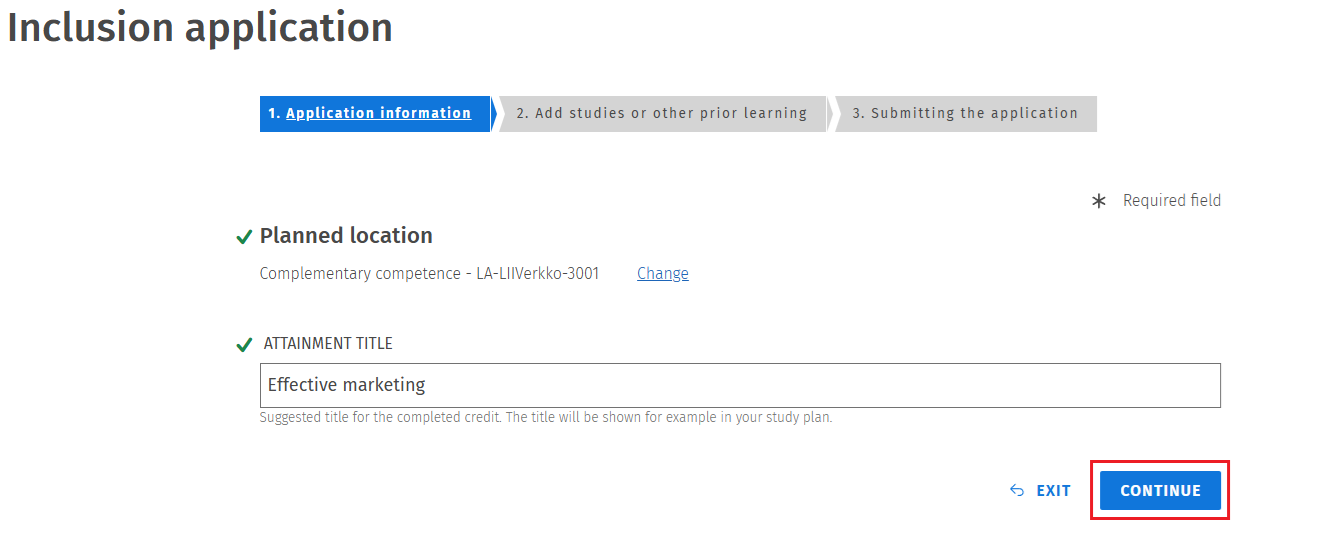
In the next step, you'll be able to enter the name of the course. Once you've entered the name, click "Continue."
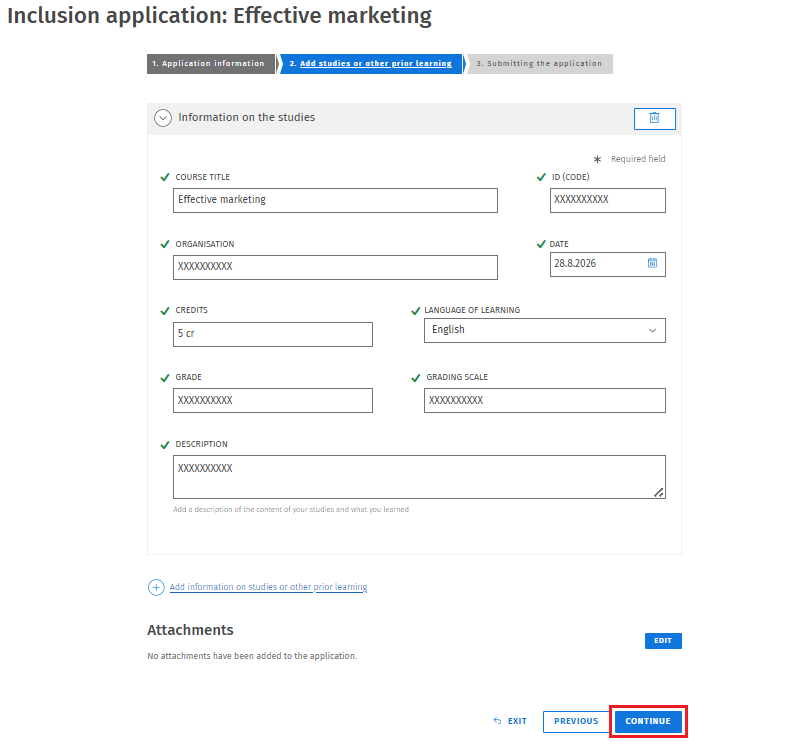
In the second step, enter the details of the completion you are applying for. Fill in the following information:
• course title
• id (code)
• organisation
• date
• credits
• language of learning
• grade
• grading scale
• description
You can also attach documents related to the completion.
Once you have completed the form, click "Continue".
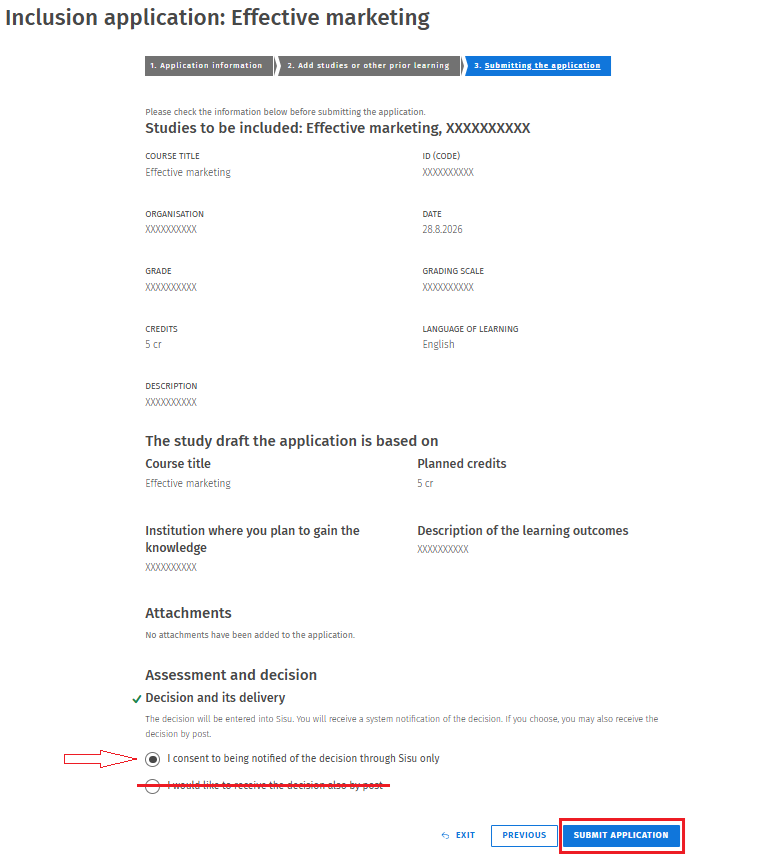
Finally, you can review all the information you have entered before submitting the application.
Under Decision and it´s delivery, select the option: "I consent to being notified of the decision trough Sisu only" (The postal mail option is not available). Once you have verified that all the information is correct, click "Submit Application".
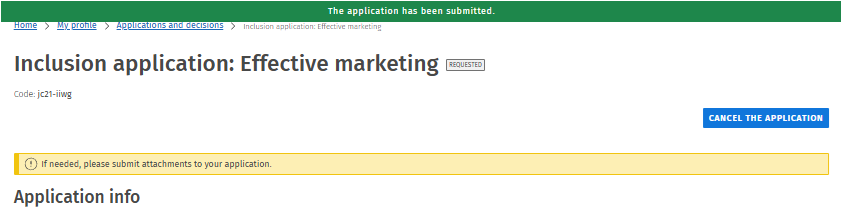
Once the application has been submitted, a green banner with the message "Application has been submitted" will appear at the top of the page. You will later receive information about the approval of the completion through Messages in Sisu and on the My Profile tab. In addition, your study plan will display a completion status indicator for the study draft.