
Sisu - Transcript of Records
A transcript of completed credits is an official and verified document of the studies you have completed. It lists the completion dates, levels, credits, and grades of courses, study modules, and degrees. You can generate the transcript of records yourself in Sisu and, if needed, save or print it.
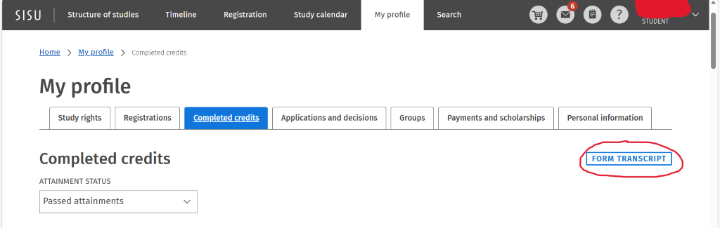
After logging in to Sisu, go to the My information -page. The transcript can be generated from the upper right corner of the Completed credits -tab by clicking the Form transcript.
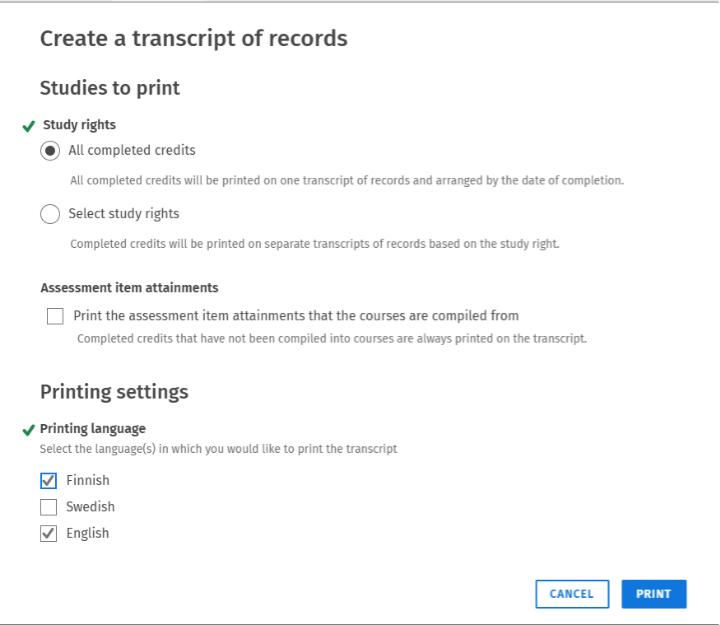
In the next window, you can choose whether to include all completed credits on the transcript or only those related to a specific study right. Each selected study right will be generated as a separate file. If you want, you can also include assessment item attainments on the transcript by selecting attainments on the transcript. The transcript of records can be printed in Finnish, Swedish, or English.
While the transcript is being generated, a yellow notification is displayed at the top of the page. Once the transcript is ready, the notification turns green and a click Download PDF link appears.

The transcript can be opened in a browser or downloaded to your own device and printed if necessary.