
Create your own Schedule - TimeEdit
You can compile your schedule by Group and/or courses. Log in to TimeEdit via the Student section and select Ryhmän lukujärjestykset / Timetables of Group.
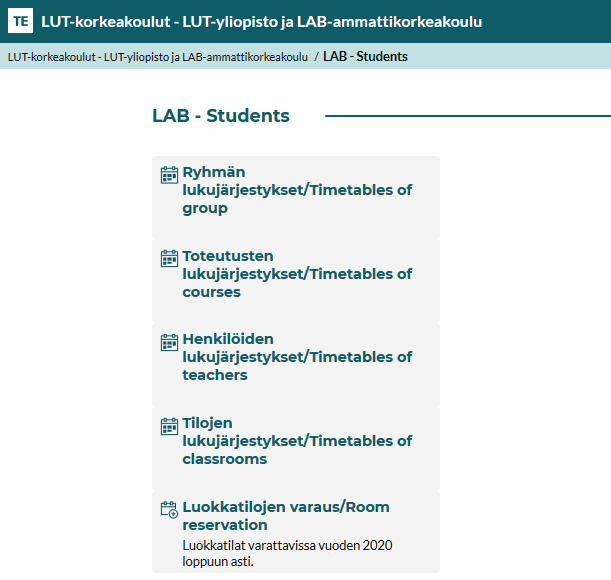
Compile your timetable according to the group and/or implementation
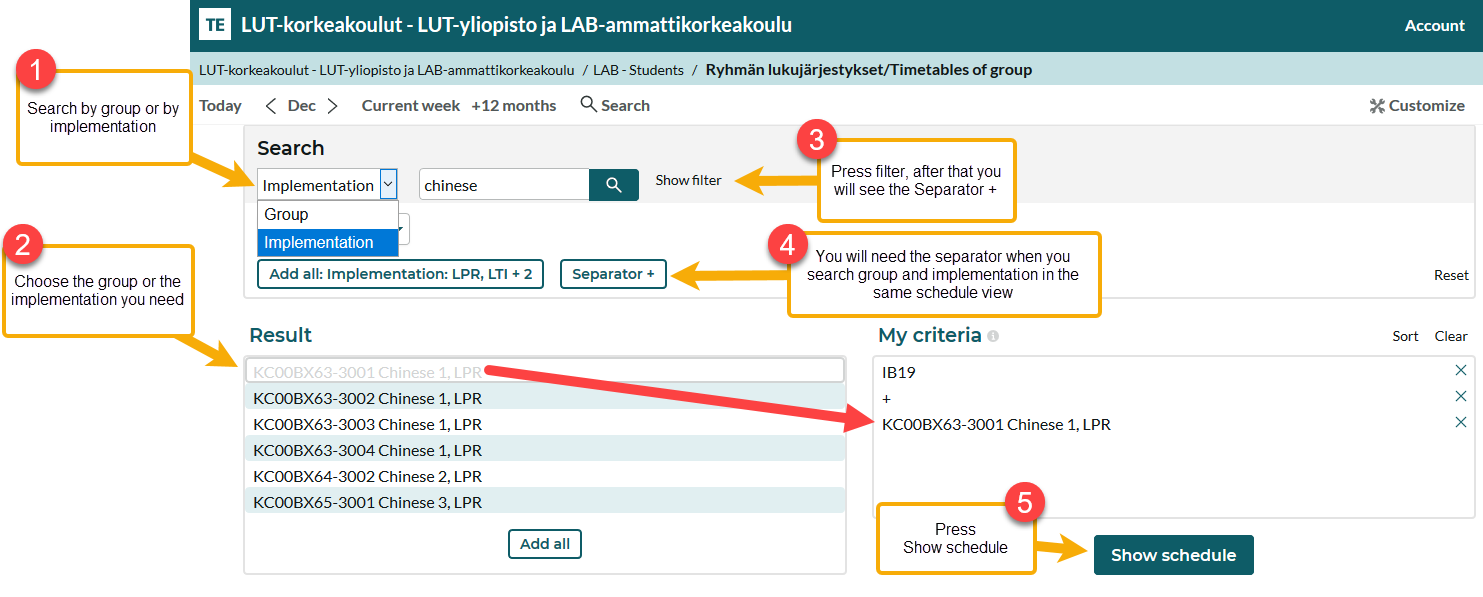
- Search for reservations by group (or groups) code or name.
- Choose group/groups or implementations you need.
- Press filter button, after that you will see the separator. Using the "Separator +" button, you can add reservations from a specific course implementation to the same search by entering the implementation code or name.
- Press "Show schedule".
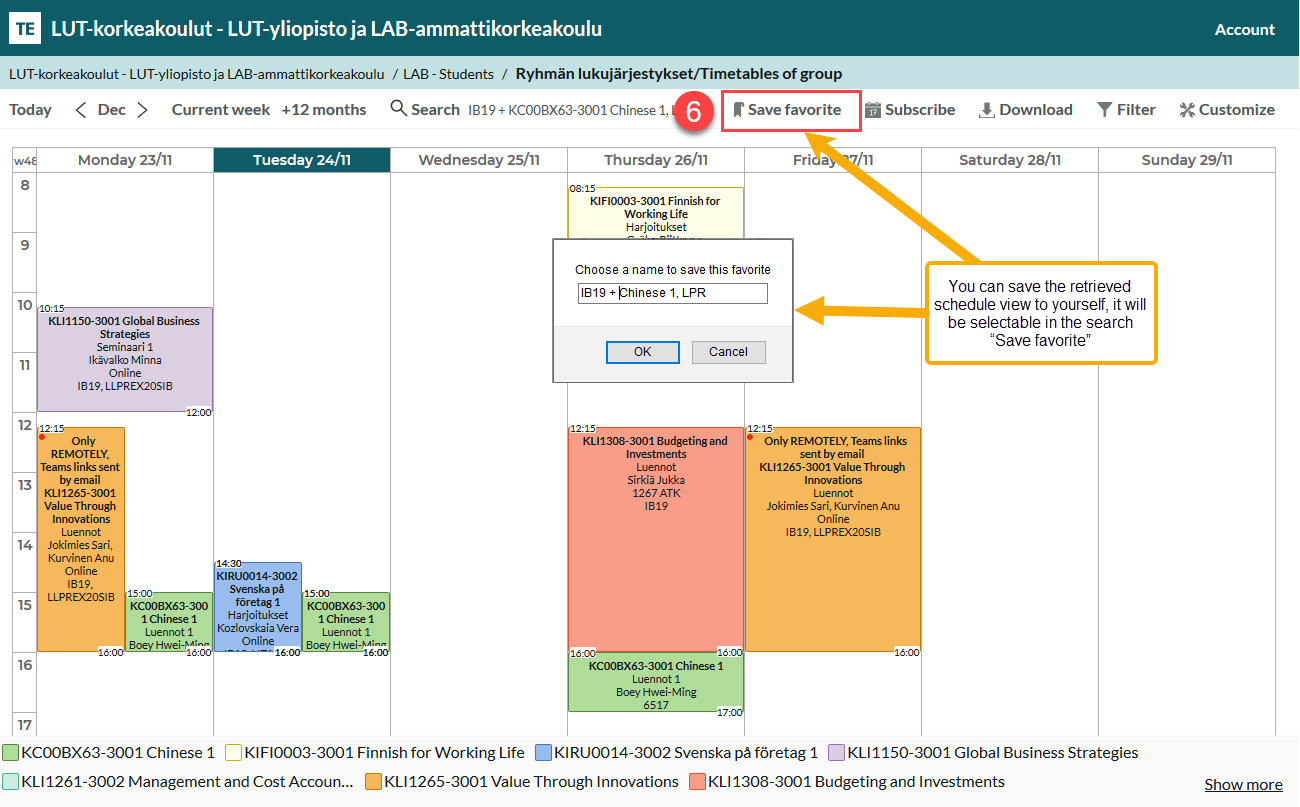
- You can save the retrieved schedule view to yourself, it will be selectable in the search “Save favorite”.
Calendar view filtering
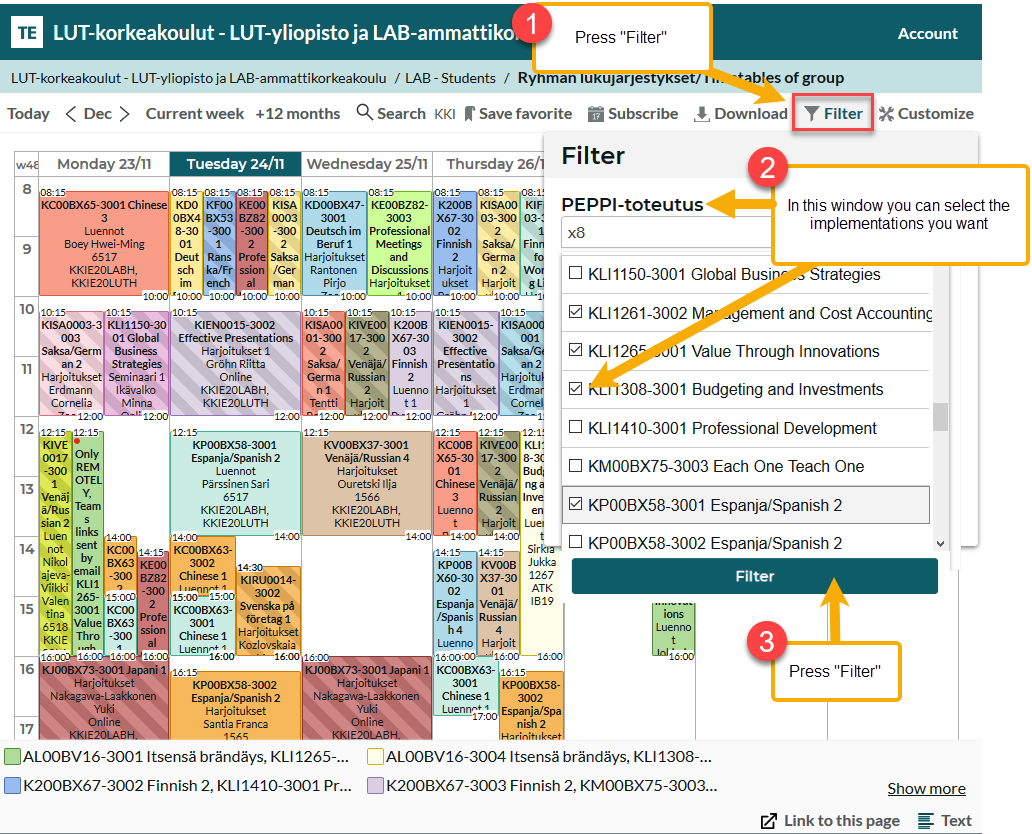
In the example, implementations of your own group and language group
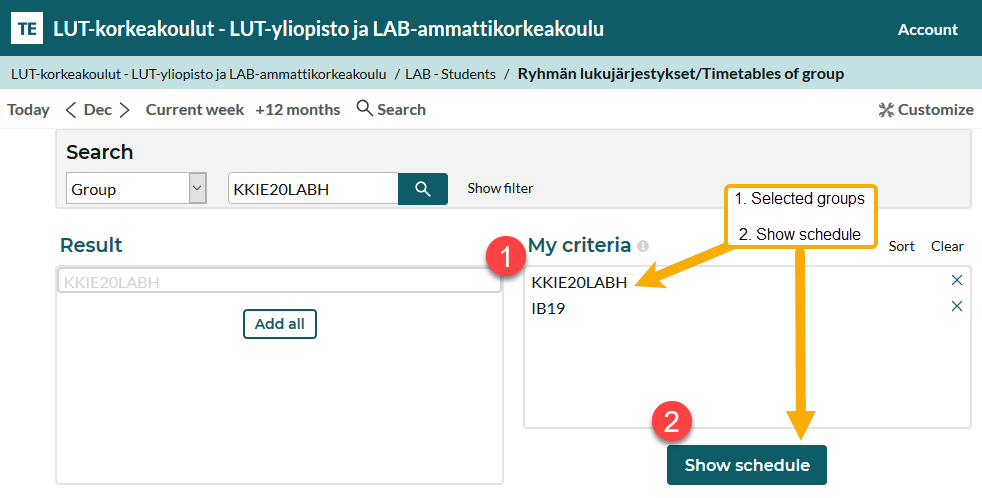
- The Filter button opens a window where you can select the realizations you want.
- Leave the checkbox selected for the course implementations you want to display in your calendar.
- Filter.
Note! The calendar view cannot be duplicated if the search was created using the "separator +" function.