
Semester enrollments - Peppi
The student must enroll as present or absent for each academic year. Enrollment takes place in Peppi. Enrollment may be done during the enrollment periods.
Enrollment times are:
- Semester enrollment for the next autumn and spring term is done in Peppi during 1st May - 31st August.
- You can change the Spring enrollment during 1st to 31st Dec.
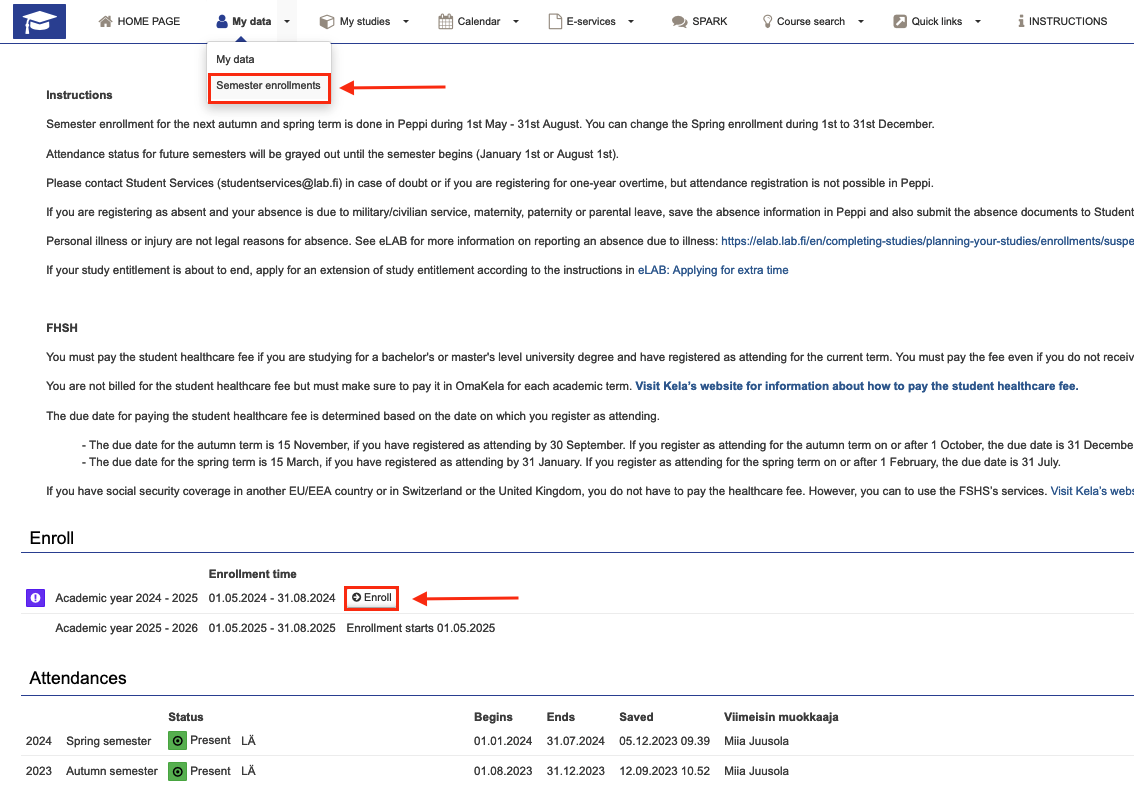
- Choose My Data > semester enrollments
- Click Enroll. Its available only during enrollment time.
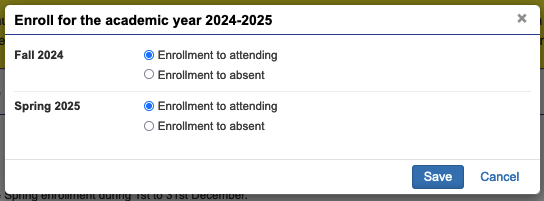
- Choose enrollment by semester and save the data.
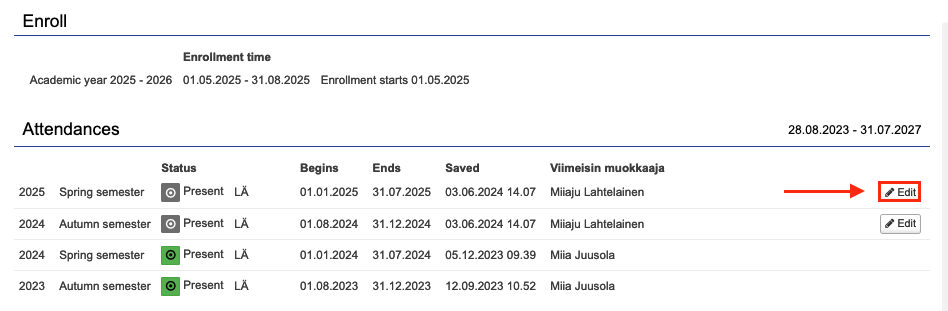
- During enrollment time, you can change your data, if needed. Save the data.
Following frame contains a Youtube video
Video description
During the enrolment period, you can easily do your semester enrolments in Peppi. Watch the video and see how it's done!