Sisu - Applying extra time
How to apply
Right to study ending at the end of July
- Apply for additional time for a right to study ending on 31 July via Sisu in May (1. - 31.5.)
- Decisions on applications submitted by the deadline will be made by mid-June.
Right to study ending at the end of December
- Apply for additional time for a right to study ending on 31 December via Sisu in November (1. - 30.11).
- Decisions on applications submitted by the deadline will be made by mid-December.
Study right at LAB University of Applied Sciences, Bachelor's degrees
Additional study time
- Upon the expiration of the statutory right to study, a student may apply for additional time to complete the degree via Sisu.
- Additional time may be granted one semester at a time, for a maximum of three semesters.
- No possibility of absence.
- When applying for the first period of additional time, you may be missing a maximum of 60 credits for the degree.
- See the detailed instructions and conditions for granting additional time.
If additional time is not granted?
- If you do not meet the conditions for additional time and/or graduation is not realistic within the requested additional time, but you still wish to complete your degree, please contact a study counsellor in your own faculty
- See further instructions for cases where additional time is not granted.
Study right at LAB University of Applied Sciences, Master's degrees
Additional study time
- Upon the expiration of the statutory right to study, a student may apply for additional time to complete the degree via Sisu.
- Additional time may be granted one semester at a time, for a maximum of three semesters.
- No possibility of absence.
- When applying for the first period of additional time, you may be missing a maximum of 30 credits for the degree.
- See the detailed instructions and conditions for granting additional time.
If additional time is not granted?
- If you do not meet the conditions for additional time and/or graduation is not realistic within the requested additional time, but you still wish to complete your degree, please contact a study counsellor Susanna Lesch
- See further instructions for cases where additional time is not granted.
Study right extension application
Before you can apply for an extension in Sisu, you must complete your primary study plan.
- Complete your study plan structure:
Go to the Structure of Studies –tab and make all the necessary selections in your study plan. If your study plan contains any unapproved deviations from the curriculum structure, these must be approved before you submit your application. All required selections have been made when the study plan status is Selections completed. You can find guidance on making study plan selections and instructions for applying for module content approval: Study plan.
2. Scheduling Your Studies
Before submitting your application, Sisu will ask you to schedule both your incomplete and unscheduled studies. Go to the Timeline -tab and schedule all unscheduled course units. Any incomplete course units must be scheduled for the current semester or a future semester. Instructions for scheduling your studies can be found here: Timeline.
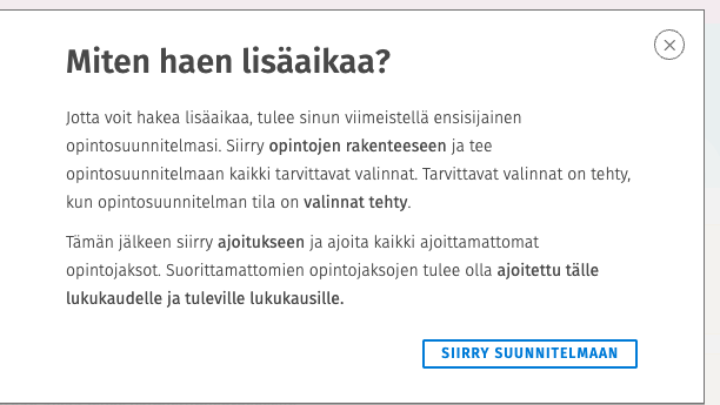
3. Submitting the Application
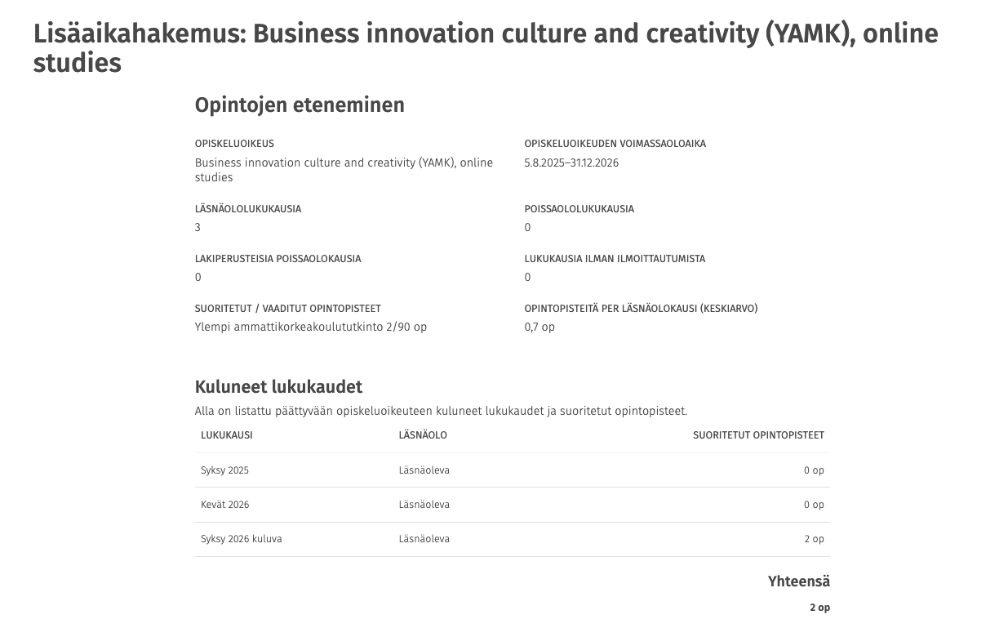
Once your study plan is complete and your studies have been scheduled, you can proceed to submit your application either via the link on the Structure of studies -tab or through the My Profile view. At the beginning of the application, you will see a summary of your study right, including your attendance and non-attendance terms and the credits you have completed.
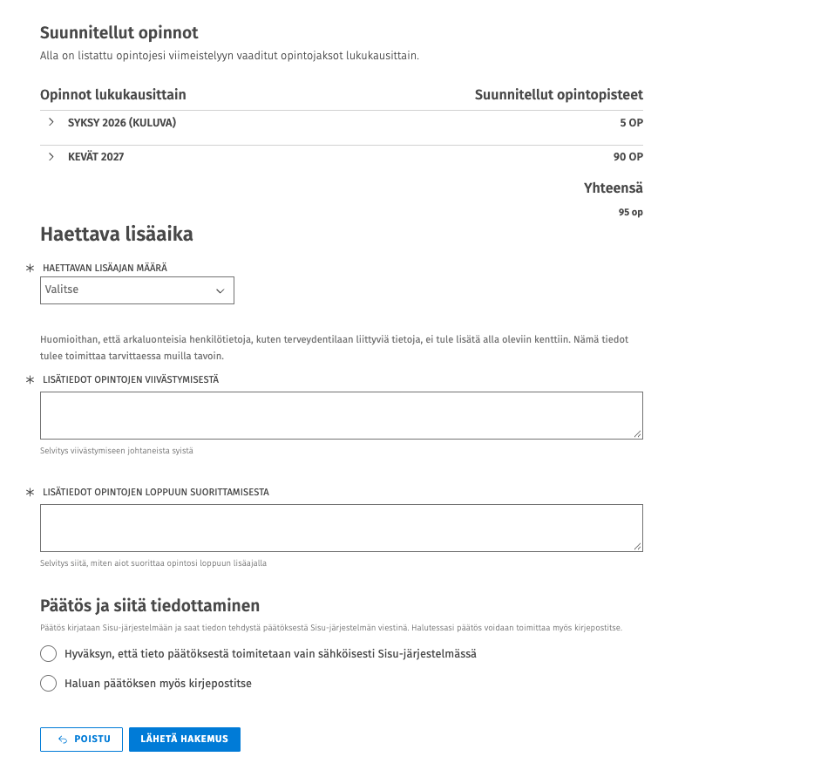
At the end of the application, select the length of the extension you are applying for from the drop-down menu. Extensions are granted for one to two semesters at a time (0.5-1 year).
In the Additional Information field, you can explain the reasons for the delay in your studies and provide further details about your plan for completing your degree. Please note: Do not include any sensitive personal information in this field.
Finally, select "I accept that the decision will be delivered electronically in the Sisu system only." Decisions cannot be delivered by regular mail.