
Sisu - Study draft
A study draft enables the inclusion of studies in the Sisu study plan that are not available in Sisu (for example, partial completions of a thesis, internships, exchange studies or inclusion of prior learning). All changes related to a study draft always require a separate decision and approval.
How do I create a study draft in Sisu?
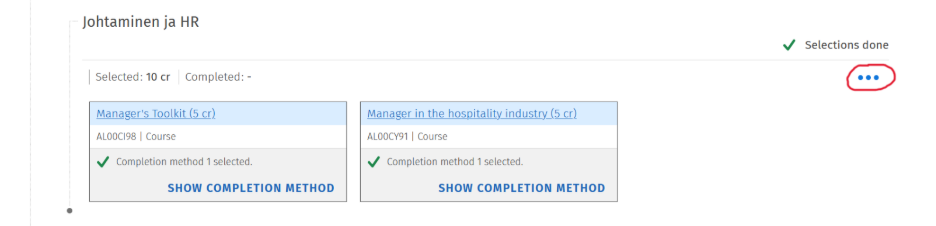
A study draft can be added either under a study module or under a subheading. You can create a study draft by opening the three‑dot menu of the module in your study plan where you want to add the study draft.
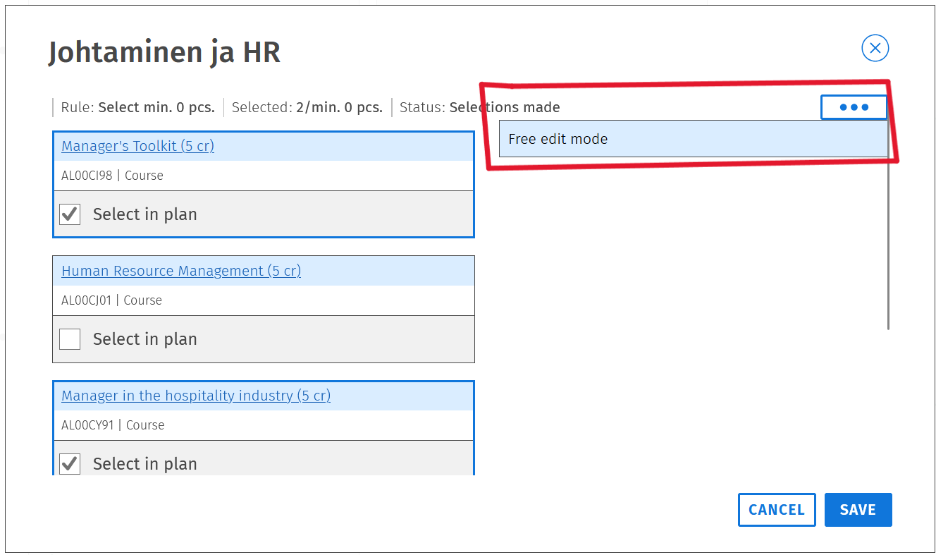
In the next view, click the three‑dot menu again and select Free edit mode.
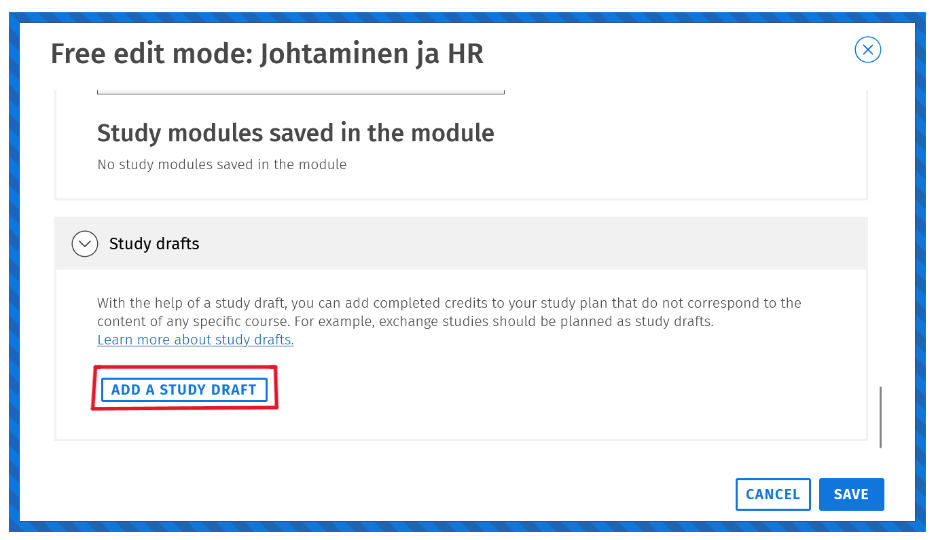
In Free edit mode, scroll all the way down. At the bottom, you will see the add a Study draft— click that.
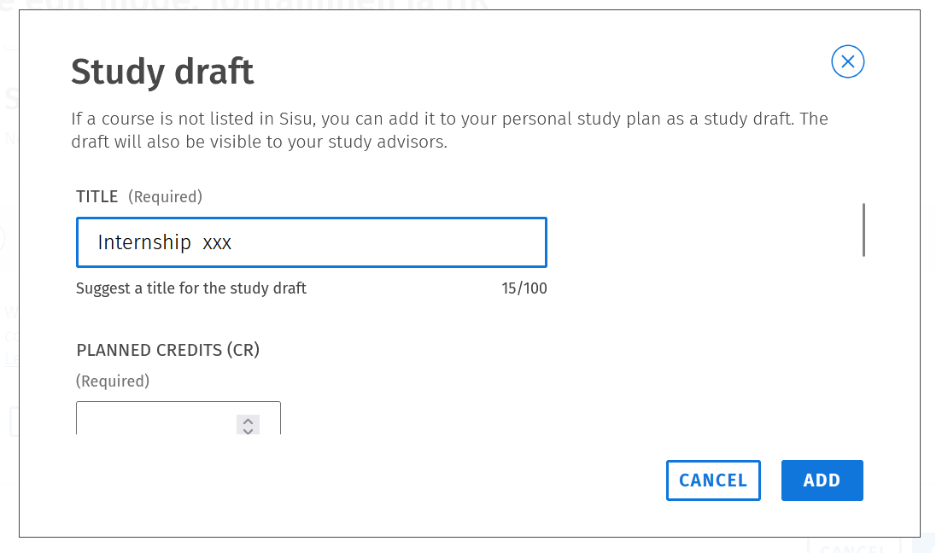
Next, the study draft template will open. Fill in the title, planned credits, institution where you plan to gain the knowledge and description of the knowledge being pursued. Finally, click Add and then Save, after which the study draft will be automatically added under the selected study module or subheading.
When the study draft has been completed:
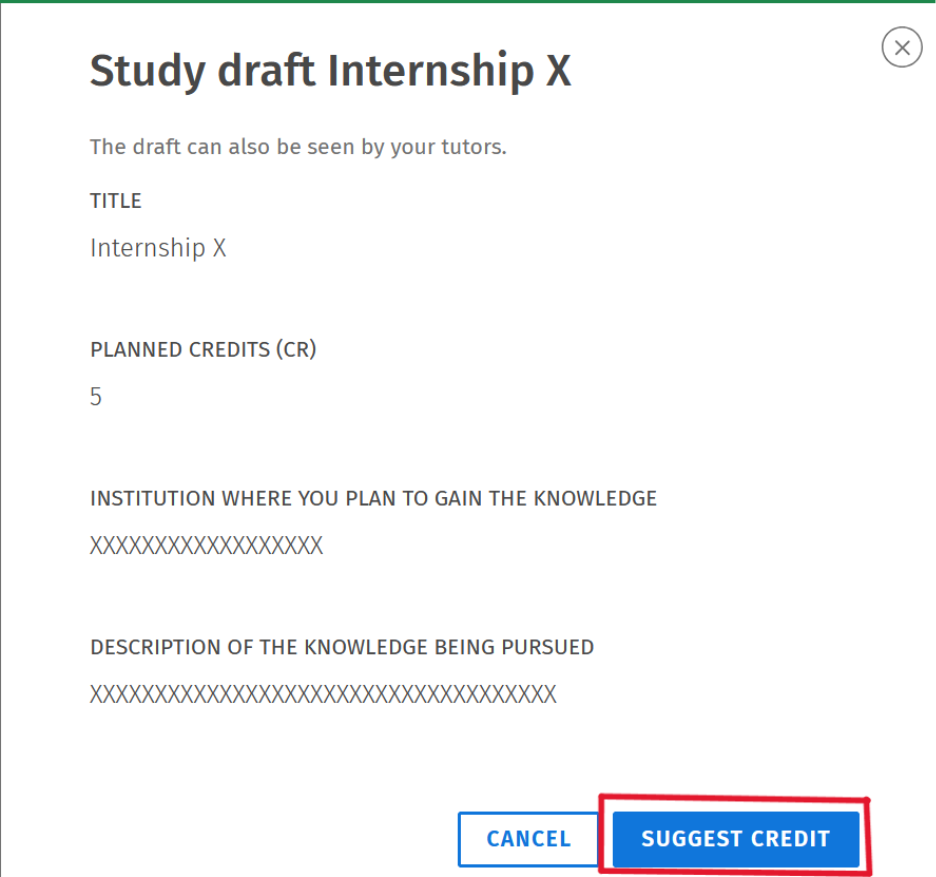
Once the study draft has been completed, you can apply for the completion in your study plan. On the Structure of Studies tab in Sisu, select the study draft you want to apply the completion for by clicking its name in your study plan. Next, a form will open where you can click “Suggest credit.”
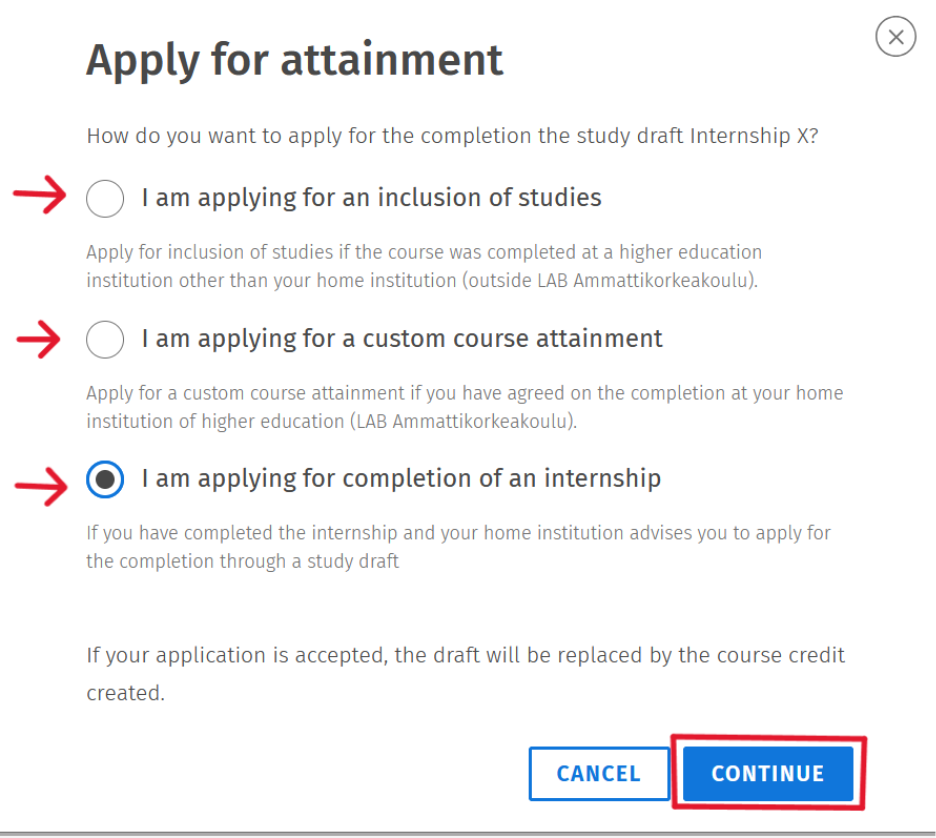
2. You will be directed to a form where you can choose how you want to apply for the completion for the selected study draft. You can select one of the following options:
- Inclusion of studies: you have completed the studies outside LAB University of Applied Sciences and want to include them as part of your degree.
- Custom course attainment: you have agreed on the completion with your tutor teacher, and the studies have been completed outside LAB.
- Completion of an internship: you are applying for credit for a completed internship.
Choose the option that best matches your completion.
(In this example, the option “I am applying for completion of an internship” is used, but the following steps are the same regardless of which option you choose.)
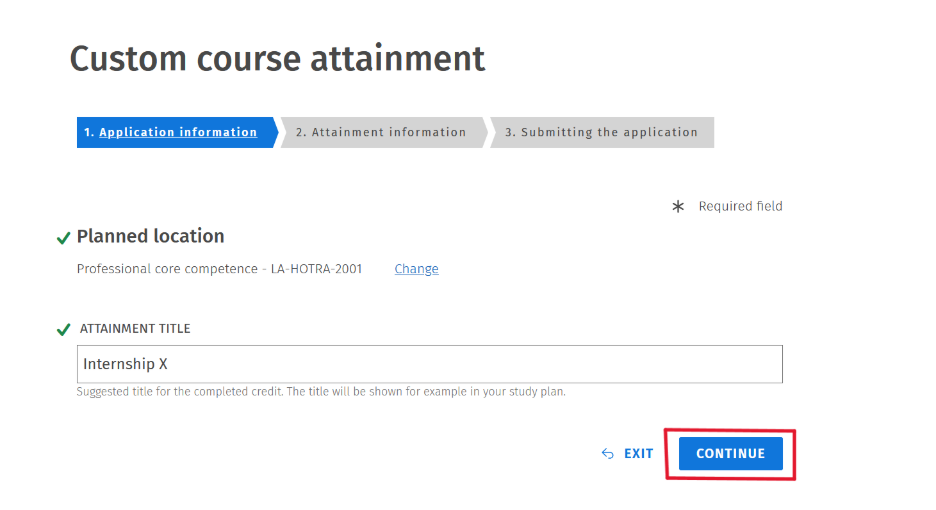
3. In the next step, you can review the application details. If the information is correct, click “Continue.”
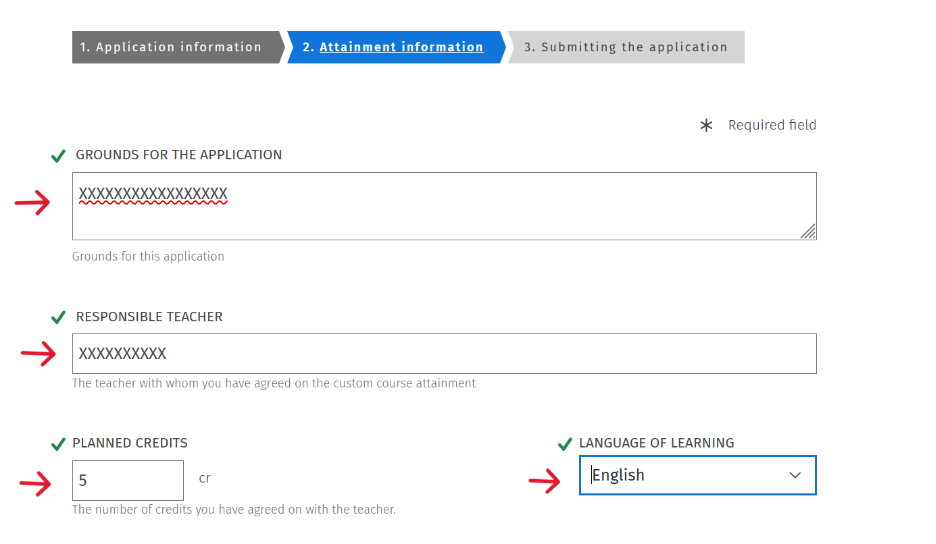
4. In the second step, you will enter the details of the completion you are applying for. Fill in the following information on the form:
- Grounds for the application
- responsible teacher
- planned credits
- language of learning
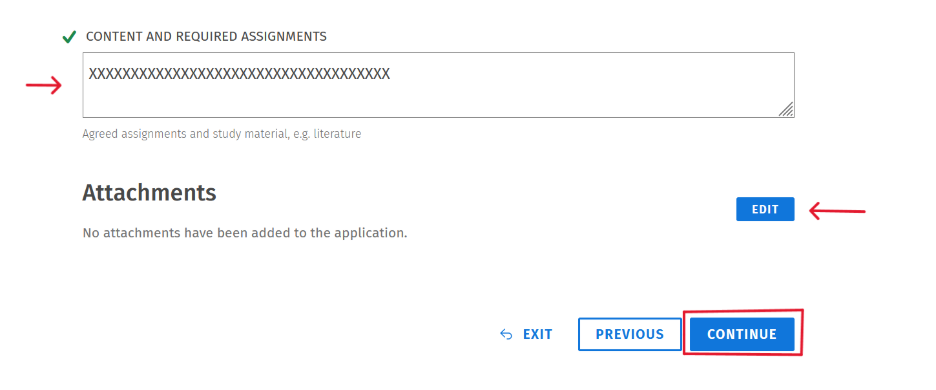
- Content and required assigments
You can also attach relevant documents to support your application. Finally, click “Continue.”
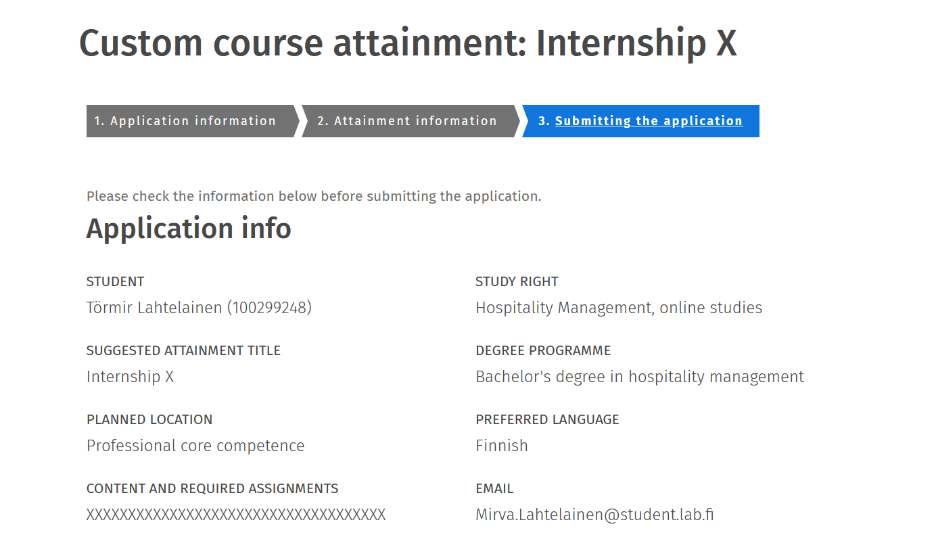
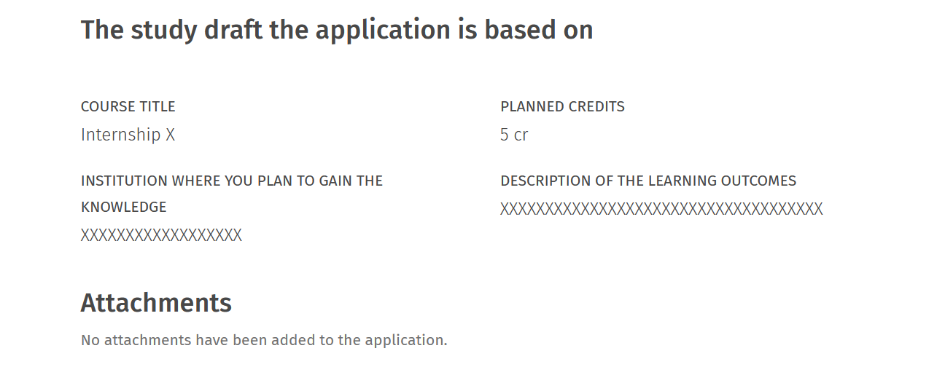
5. Finally, review all the information you have entered before submitting the application.
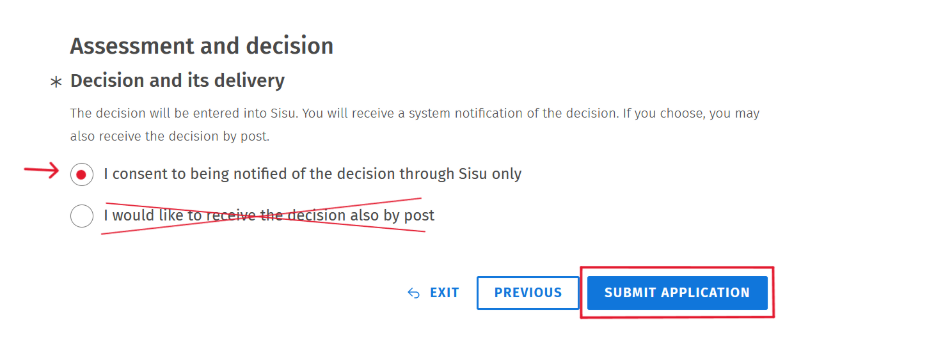
Under Decision and it´s delivery, select: “I consent to being notified of the decision trough Sisu only” (There is no option for post mail). Once all the information is correct, click “Submit application.”
You will receive information about the approval of the completion in Sisu messages and on the My profile -tab. Also a completion marking will appear in the study draft in your study plan.