
Sisu - Study rights
On the Study rights tab, the student sees a list of their study rights and their statuses.
By clicking the round arrow icon in front of the study right name, more detailed information about the study right is displayed, such as its validity period, progress of studies, and attendance information. By clicking the Additional information button, the student can view the legal basis of the study right, the date it was granted, and the start date of studies. At the bottom of the page, the education path corresponding to the study right is shown, as well as other confirmed selections related to the study right, by degree programme.
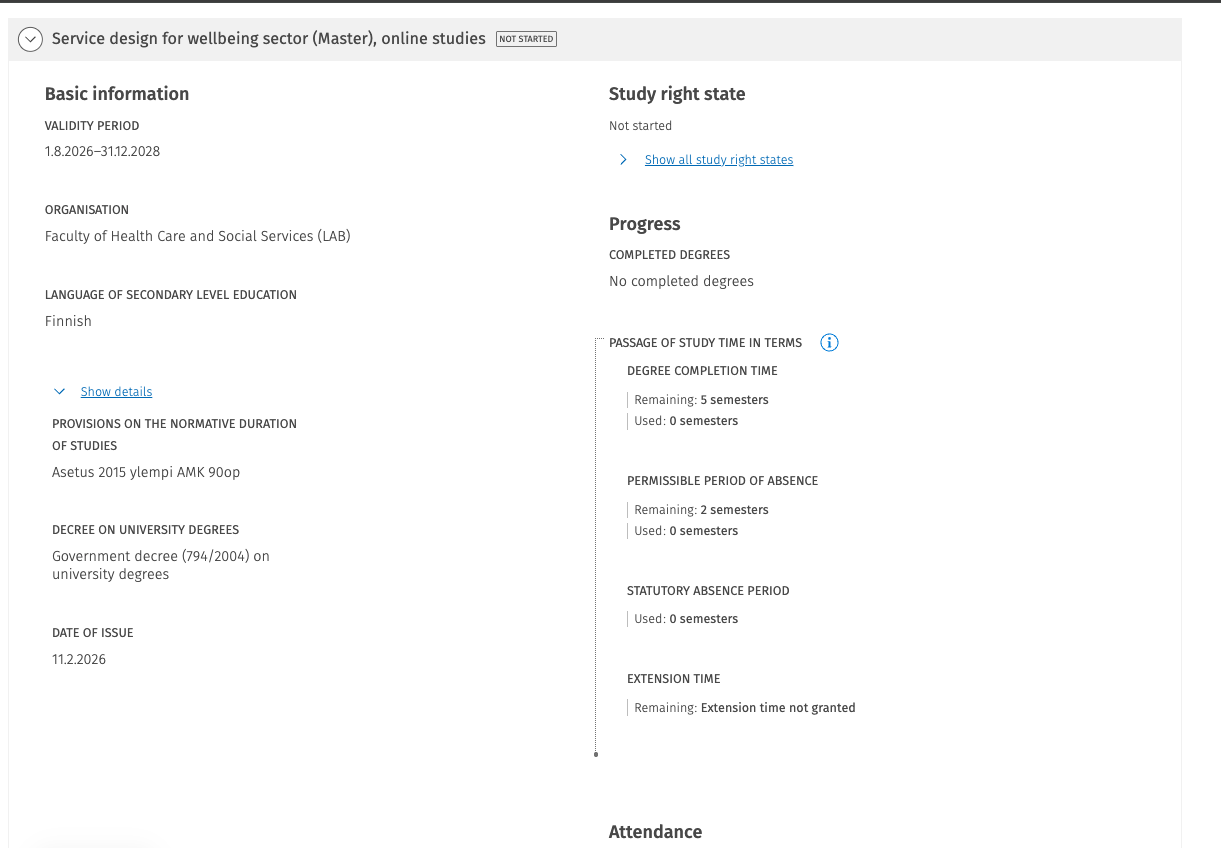
On the right-hand side of the page, the progress of studies is displayed. Under the heading Completed degrees, the degrees completed within the relevant study right and their graduation dates are shown. The accumulation of study time, as well as available and used periods of non-attendance, are indicated in semesters.
If the student applies for an extension, any granted extension and the remaining extension period are shown under the Extension heading.
If no extension has been applied for, the text “No extension granted” is displayed under the heading. Below the study progress section, the student can view their own attendance information.
The study certificate can be downloaded by the student using the Generate study certificate button in the top right corner. (Available from August 2026 onwards.)